


Meet Your Microwave
You touch it every day. You press buttons and expect heat. This small box matters. It saves time. It saves work. It sits in your kitchen and does real work for you.
You will learn how it heats. You will learn the parts inside. You will learn about waves, controls, and safety. You will learn why food heats unevenly and how to fix it. You will learn how to care for it and when to call a pro. Read on. The facts are plain. The oven is useful. You can use it well. This guide will make you confident today.


How Microwaves Heat Your Food
Dielectric heating in plain words
You want heat fast. Microwaves send waves into food. Those waves jiggle water and fat molecules. The jiggle is motion. Motion makes heat. Heat spreads inside the food. That is dielectric heating in plain language.
Why liquids heat faster
Soups and stews heat fast because they flow. Hot pockets rise and mix. A bowl of tomato soup will be hot through in a minute or two. A chicken breast does not mix. Its surface gets hot first. The center waits.
Penetration depth and food make-up
Your microwave uses about 2.45 GHz. The waves only go a short way in. In water-rich foods that may be 1–2 cm. In dense or fatty items the depth is less. Bones and dry bread absorb less energy. Bones often feel cold while the meat around them is hot. The makeup—water, fat, salt, and shape—sets the pace.
Practical tips you can use now
If you have a 1000W countertop microwave it will heat faster than a 700W model. A convection-microwave combo behaves differently; use the grill or bake mode for browning.
Next you will see what parts inside the oven make these waves and how they keep you safe.
Inside Your Oven: Parts That Do the Work
You will meet the parts. You will see what each must do for safe cooking. Short notes. Clear map.
The magnetron — the wave maker
The magnetron is the loud heart. It makes the microwave energy. When you press Start, it fires. If it fails, the oven won’t heat. You won’t fix a magnetron at home. Call a pro.
Waveguide and stirrer — the path and spreader
The waveguide funnels energy from the magnetron into the box. Some models add a metal stirrer or mode stirrer to scatter waves. If that area is blocked by crumbs, you get hot spots. Keep it clean.
The cavity and door — the cooking box and shield
The cavity holds food and energy. The door must seal right. Latches and mesh in the window keep waves inside. Inspect the door for dents or loose hinges. Never run it with a warped door.
Turntable, tray, and fan — even the heat
The turntable rolls food. The tray and fan move hot air in convection combos. If the plate sticks or the roller ring breaks, heat goes uneven. Replace simple parts yourself with the oven unplugged.
Power parts — controls, transformer, diode, capacitor, fuse
Controls tell the oven what to do. The transformer and diode boost voltage. The capacitor stores charge (it can hold a shock even after you unplug). Fuses cut power on faults. If fuses blow repeatedly, stop using the oven.
Quick checks and safe steps
You now know who does the work inside. You can spot simple issues. You can act safely.
Microwave Energy and How It Moves
Waves in the box
You can think of the energy as waves. They leave the source and race into the cavity. The waves are about 12 cm long at 2.45 GHz. They meet. They add up. They cancel. Where they add, you get a peak. Where they cancel, you get a dip. Those peaks and dips sit still. They form a pattern. Food in a peak heats fast. Food in a dip stays cool. You see this as hot edges and cold centers. You see this when reheating soup or a plate of leftovers.
Metal walls and the door mesh
The metal walls bounce the waves back. They guide the pattern. Corners and curves change the pattern. The metal mesh in the door stops the waves from leaving. It does not stop light. That is why you see inside but the energy stays in. If the cavity changes shape—by a bowl or a tray—the pattern shifts. That is why two identical plates cook differently.
How to use this to cook smarter
You can act on these facts. You can move food through peaks. You can break up dips. Try these steps.
A real tip: when reheating coffee, stop it and stir after 30 seconds. You will feel the warmth spread. Small acts beat guessing.
Controls, Sensors, and Safety Systems
The controls you use
You press buttons. You turn dials. You set power and time. Simple controls hide smart logic. Power levels cut the magnetron’s duty cycle. Presets use built‑in timers and sensors. Newer ovens read steam or weight and adjust time for you.

What the sensors do
Steam sensors watch vapor. They end a cook when steam reaches a threshold. Weight or humidity sensors estimate mass and moisture. They cut guesswork. If your plate comes out cold in one spot, a sensor likely shortened the cycle. Try manual time and stir mid‑cook to override.
Door locks and interlocks
Your oven will not run with the door open. It must seal tight. The door has at least two switches that must agree. If the latch is bent or the seal is dirty, the switches fail to close. You will hear clicks when you shut the door. If you don’t, call a pro. Do not try to bypass switches. That is dangerous.
Fuses, thermal cutouts, and shielding
Fuses blow to stop big faults. Thermal cutouts trip when parts overheat. These parts protect the magnetron and wiring. They look like small cylinders or discs. Never replace a fuse with a higher rating. That invites fire.
The metal case and door mesh keep microwave energy in. If the door is warped or the mesh is damaged, do not use the oven.
Quick checks and tips
These checks let you spot issues fast and decide when to DIY and when to call help.
Why Food Cooks Unevenly and How to Fix It
Why it happens
Microwaves hit water molecules most. Foods mix water, fat, and sugar. Each heats at its own pace. Thick edges cook fast. Dense cores stay cold. Shape bends the field. Tall bowls hide centers. Flat plates spread heat. Metal and foil reflect waves and spark. You hate cold cores and hot edges for good reason.
Small fixes that work
Stir. Turn. Pause. Those three move heat where you need it. Stir soups every minute. Flip slices of lasagna or casserole halfway. Let food rest for 1–3 minutes after cooking. Heat evens by conduction once the magnetron stops.

Pick the right dish
Use low, wide bowls for thick stews. Use shallow plates for pizza. Avoid deep mugs for reheating rice. Choose microwave‑safe glass or ceramic. Plastic can melt. Paper towels wick steam and cut splatter. Avoid metal pans unless the product says it is microwave‑safe (some crisper pans have special coatings).
Use power and time like a pro
Lower power, longer time cooks more evenly. Use 50–70% power for dense items. Pulse cook for large cuts. Defrost on the defrost setting. For real examples: a Panasonic NN‑SN966S with inverter tech gives steadier low power. A basic Toshiba EM131A5C can work well if you stir and rest.
Quick troubleshooting list
Try these steps. You will get fewer cold spots and fewer surprises as you cook.
Care, Troubleshooting, and When to Call a Pro
Daily care
Wipe spills fast. Unplug first. Use a soft cloth and mild soap. For stuck food, make a paste of baking soda and water. Let it sit. Scrub gently. Do not spray cleaners into vents. Do not run the oven empty. An empty cavity can reflect energy back and harm the magnetron.
Check the door and seal
Open the door. Look at the gasket. Feel for cracks or hard spots. Close the door. If the door sits uneven, the seal may not mate. A bad seal leaks energy and wastes power. Small gaps or loose trim often need a simple gasket or trim swap.
Simple fixes you can try
Always unplug before you open panels. Never touch the capacitor or the magnetron. Those parts keep charge after power off.
When to stop and call a pro
If you see these signs, call a qualified appliance technician. They have insulated tools and know how to discharge capacitors safely. Take pictures and note model and serial numbers before you call.
Do the easy fixes first. Know the danger signs. Then move on to the final short wrap‑up.
Simple Habits Keep It Working
You now know the core. You saw parts, waves, and safety. You can cook with more sense. Clean and check often. Use the right dish and the right power. Rotate or stir food. Watch cook times. Trust your senses.
Call help when you smell gas, sparks, or smoke. Do not try to fix high-voltage parts. Simple care keeps it safe. Keep it simple. Keep it working and wise always. Read your manual and follow instructions.




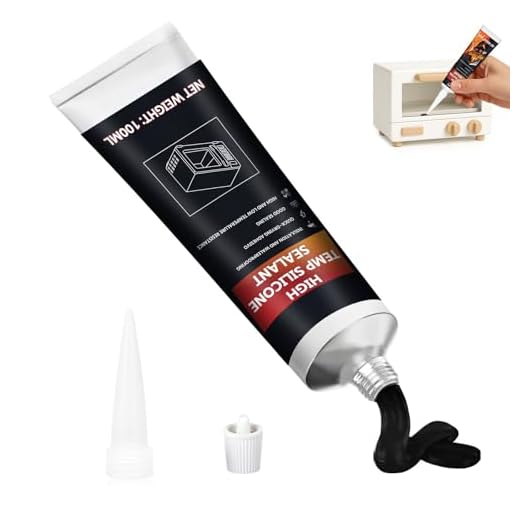
Hey, small household tip from a klutz: the High-Heat Silicone Sealant for Oven and Microwave fixed a tiny crack in my microwave door frame (cosmetic mostly). Worked fine after curing, and the article’s care tips helped me decide to try it before buying new.
But hey, don’t seal anything that touches the door gasket or interlocks — that would be dumb. 😬
Nice save! I patched a loose trim with silicone too. Just followed drying times and didn’t touch the hinge area.
Good reminder — sealants are fine for cosmetic, non-functional areas. Never alter the gasket or interlock areas. If the door alignment or seal affects operation, call a pro.
I adored the practical maintenance tips. Minor nitpick: the ‘Care’ section could mention the smell-removal trick (lemon + water, microwave 1-2 mins) — helped me after nuking broccoli lol.
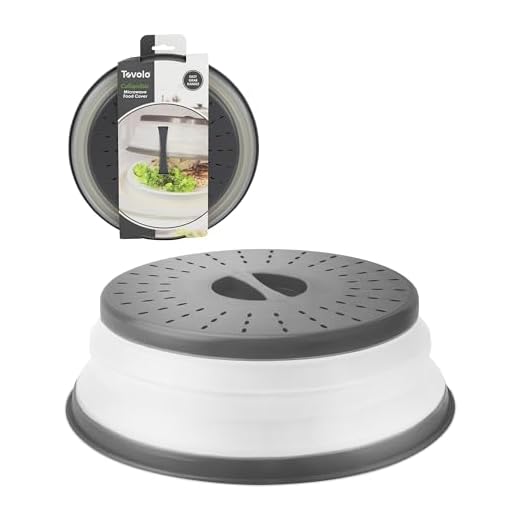
Also, anyone used the Collapsible Vented Silicone cover for steaming veggies? Does it trap too much moisture?
I use the collapsible cover and just lift the vent corner for some airflow — stops splatter but avoids sogginess.
Great tip — the lemon steam method is a classic and we’ll add it. For steaming veggies, the silicone cover works well if vented; if not vented, you’ll end up with soggy results. Calypso steamer set is better for intentional steaming.
I think the troubleshooting guide should have had a flowchart. I’m very visual. Some of the steps to diagnose uneven cooking were at the end and I missed them the first read.
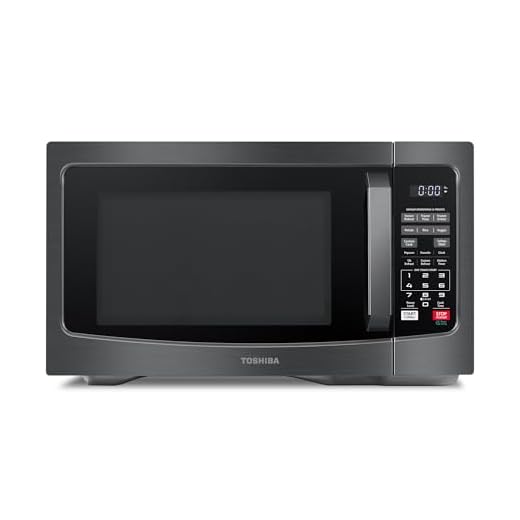
Also a shoutout to the product list — I ended up ordering the Toshiba 1000W Countertop Microwave with Smart Sensor because of the sensor info in the ‘Controls, Sensors, and Safety Systems’ section. So far so good.
Flowchart would be awesome. I learned the hard way that sensor cooking isn’t magic — it helps, but you should still stir/rotate for evenness.
Agree, Maya. Still learning the quirks.
Thanks for the feedback — a flowchart is a great idea for a future update. Glad the smart sensor helped with your purchase — those sensors can make reheating more foolproof.
Is the Collapsible Vented Silicone Microwave Splatter Cover worth it? I hate cleaning the inside of my microwave after reheating tomato sauce. This article convinced me to at least try one.
Also, does color matter? 😂
The silicone covers are handy — venting reduces sogginess while stopping splatter. Color doesn’t affect performance, but pick one that’s heat-resistant and BPA-free. The collapsible design saves storage space.
Totally worth it. I have a bright yellow one and it makes me oddly happier when heating leftovers 😂
Question — my microwave sometimes sparks when reheating takeout with aluminum foil bits stuck on the box. The article mentions metal bad, but is there any safe exception?
I once had a pizza box with a foil patch — instant spark show. Pulled plug immediately. Scary but no lasting damage.
No safe exceptions for loose metal or foil inside the microwave. Small metal bits can cause arcing and damage. Always remove foil, metal clips, or twist ties before microwaving.
I chuckled at the sarcasm in ‘Simple Habits Keep It Working’ — speaks to my laziness. But honestly, a splatter cover + wipe = 50% less drama.
Also, is the Collapsible Vented Silicone cover microwave-safe indefinitely? I worry about plastics degrading over time.
Silicone is usually fine long-term. I replaced mine after a couple years when it got scuffed, but no safety issues before that.
Most silicone covers rated for microwaves are designed to withstand repeated use, but check the product’s heat rating and replace if you see cracks, melting, or odors. Silicone typically outlasts many plastics, but nothing is truly indefinite.
Loved the ‘Why Food Cooks Unevenly’ bit. I always blamed my microwave for cold spots, but turns out it’s partly how my food is arranged. Sandwiching frozen things in the middle — doh.
Anyone tried the Calypso 6-Piece Microwave Cookware Steamer Set for reheating rice? Wondering if it beats a plastic container.
I use a steamer bowl for rice — it’s better than a flat plate, for sure. Just be careful with steam when opening. Burns happen fast.
The steamer set can help a lot for rice — the venting and lid design keep moisture in, reducing dry patches. Just follow the manufacturer’s water amounts and venting tips from the article.
Great article. One practical note: rotating food and using a glass plate replacement (if yours is chipped) made a huge difference for even cooking in my family. Also — don’t microwave eggs in shell, even if article doesn’t say it outright. Boom risk. 😂
Microwaved eggs in mugs are a breakfast staple but definitely pierce them. Learned the hard way.
Very true — eggs in the shell can explode due to steam buildup. We touched on it briefly, thanks for calling it out. Use a vented container or pierce yolks when microwaving eggs out of the shell.
I loved the care checklist. ‘Simple Habits Keep It Working’ is my new mantra. Wiping splatters right away and using a splatter cover has saved me so much time.
One tiny critique: could you add recommended microfiber cloths or safe cleaners for stainless interiors? I wasn’t sure what to buy.
For stainless I use a soft microfiber and a vinegar-water spray for mineral build-up. Works well without scratching.
Great suggestion — we’ll add specific product recommendations for cloths and cleaners. Generally, a soft microfiber cloth and mild dish soap diluted in water is safe; avoid abrasive pads.
Okay real talk: the section on ‘Microwave Energy and How It Moves’ felt a bit dense for me. Could someone TL;DR it? I get that microwaves excite water molecules, but why does fat heat differently?
TL;DR — microwaves excite polar molecules (mostly water). Water heats efficiently; fats and sugars absorb microwaves differently and distribute heat slower. So foods with uneven water/fat distribution cook unevenly.
Also, container material matters. Metal reflects microwaves; most plastics and ceramics let them pass. Use microwave-safe bowls.
Add to that: fats can heat slower at first but hold heat longer. That’s why fatty parts sometimes seem hotter after microwaving.
Great breakdown — I never knew the magnetron was the main player. The ‘Inside Your Oven’ section made it click for me.
Quick question: if my microwave’s turntable is cracked, is the 12-Inch Replacement Microwave Glass Turntable Plate usually universal? Bought a cheap one once and it rattled 😅
I swapped a 12-inch into an older unit once and had to swap the roller ring too. If it rattles, check the ring and the central hub — those cause most noise.
Also FYI some plates list compatible models in the product description on Amazon — saved me a headache last time.
Thanks, Emma — glad it clicked! Replacement plates often come in a few standard sizes (12-inch, 9.6-inch, etc.) but check the roller ring diameter and mounting hub shape. The 12-Inch plate is common for many countertop models, but not truly universal.
Short and sweet: the safety interlocks saved me years ago. Friend of mine tried to operate with the door slightly ajar (stupid), and the interlock prevented it. Article did a good job explaining why those little switches matter.
Exactly — interlocks are critical. If yours feel loose or the door doesn’t latch well, that’s one of the ‘call a pro’ situations we mention.
Agreed. If you start seeing sparks or door misalignment, unplug and get it checked. Microwave shocks are no joke.
Does anybody else have trouble with small plates not rotating properly? I bought a 9.6-Inch Microwave Glass Plate Replacement (small) for a compact unit and it keeps sticking on the roller. Any fixes?
I sanded down a tiny burr on the hub and it freed up my plate — but be careful and unplug first. If unsure, get the whole replacement kit (plate + ring).
Check the roller ring for food debris, and ensure the center hub on the oven and plate are the right fit. A mismatched roller or cracked ring often causes sticking. If the ring looks worn, replacing both plate and ring usually fixes it.
I’m the resident appliance skeptic in my house. The ‘When to Call a Pro’ part saved me money — I fixed a blown magnetron fan issue myself by just clearing debris. But we should stress warranty concerns — DIY can void it.
And if you’re uncertain about high-voltage components, call a pro. Magnetron replacement involves risky parts.
Absolutely — good point. If the unit is under warranty, DIY repairs can void coverage. Always check warranty terms first.
I replaced my touchpad with a ‘Replacement Touchpad Control Panel for GE Microwaves’ last month after the buttons went flaky. It was a bit fiddly but saved the unit. Article’s ‘When to Call a Pro’ helped me decide to DIY it safely (power off, capacitor discharge tip was clutch).
Wow, capacitor advice in a microwave article — didn’t expect that level of detail. Thanks for sharing your DIY win!
Good to hear the guide helped. And yes — always discharge the high-voltage capacitor or better yet leave that to a pro if you’re unsure. Safety first.